Automated Marketing Tools
Automate marketing workflows using a journey building tool
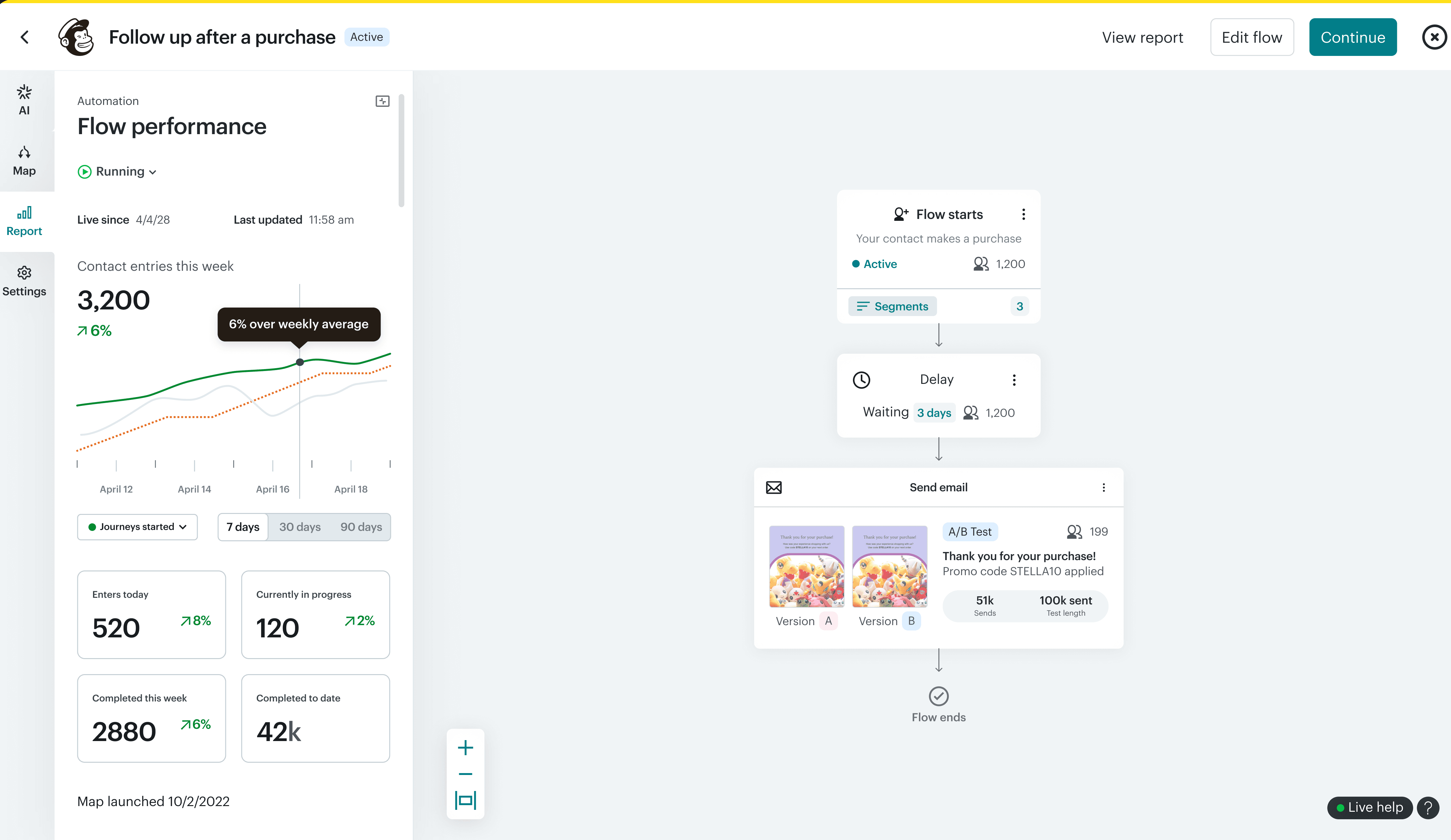
Owned feature design and workflow improvements for a core marketing product, while driving UI standardization across the experience
CONTRIBUTIONS
Ideation, testing, and refinement of designs for engineering handoff
Collaboration with engineering & product to balance ideal user experience with technical limitations and ensure timely delivery to meet deadlines
Design sessions, feedback, and review with a fellow designer to delivery quality work and manage a large quantity of initiatives
Role
Senior product designer
Team
2 product designers
1 product manager
6 engineers
Timeline
2022-2024
Project initiatives
What are automations?
Marketers rely on automated workflows to save time on repetitive tasks, such as sending welcome emails when users sign up.
Automations are a core need & marketers expect this as a core aspect of marketing tool they use.
Opportunity gaps
Initiatives came about through the need for UX improvements, features to meet market expectations, addressing friction points, and reducing overall churn.
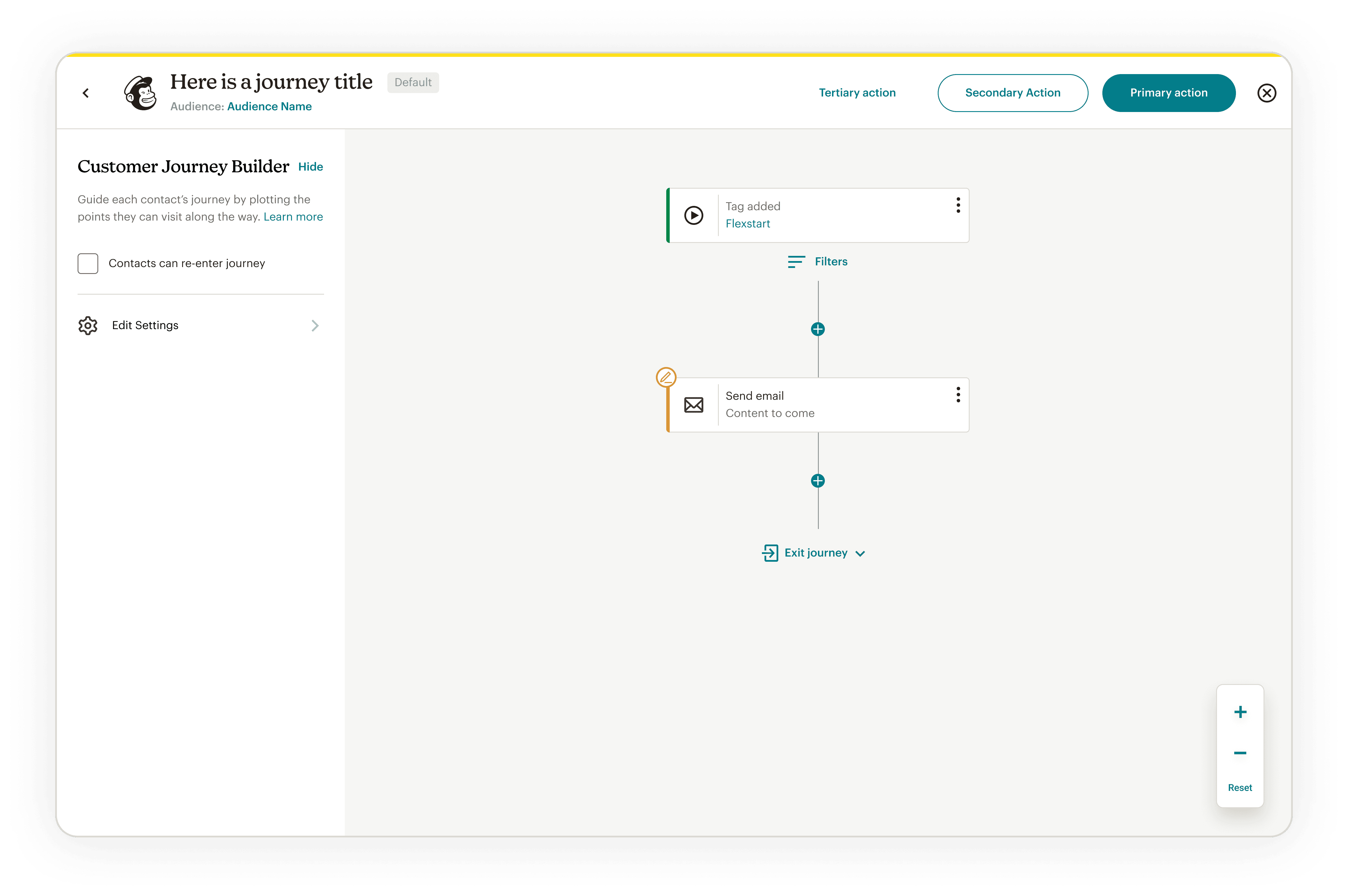
The old experience for creating automations
Key metrics
To measure the success of features added, we monitored the following metrics.
Creation rate - how often users would start an automation
Create to completion rate - how often users would turn a draft automation on
Abandonment rate - how often automations are turned off & paused
Process
Project stages
With each project I followed a similar process
Project definition
Define overall goals, key metrics to move, & defining what was in vs out of scope.
Research
Determine the appropriate amount of research, whether it required simply citing essential UX principles, to finding past research decks, to moderated interviews. The goals were always to maximize confidence through understanding, while also fitting it into the required timeline for delivery.
Ideation, testing, iteration
The essential tasks as a designer to thoroughly deliver designs with clarity and collaboration.
Evaluation & adjustment
Monitor feature usage and making follow up changes if needed.
Results
During my time working on this part of the product, we saw the following improvements:
Creation rate
19% increase in journey creations
Completion rate:
7.5% increase in draft to live journey conversions
Abandonment rate
20% reduction in indefinitely paused and deleted journeys
Select projects
Range of projects
During my time working on this part of the product, I owned the process for initiatives both large and small.
Constantly champion the customer using research & customer feedback through presentations and team walkthroughs of the product to bring empathy, motivation, and ideation from within.
Understand engineering capabilities & limitations to deliver the best realistic experience for users, know when to advocate for further engineering spikes, and understand what features were low effort, high impact.
Understand product management key metrics to present the right research to influence priorities that would most impact users while also helping the business.
Pausing & editing steps
Before users would need to pause entire automations to make edits. This was a source of frustration as it meant that audience members would not enter or progress through the automations during this time.
It was a challenge to prioritize this feature, and took persistent presentation of numerous research studies & customer feedback of the anxiety and frustrations of customers who felt stuck using the product but needed to modify & improve their journeys.
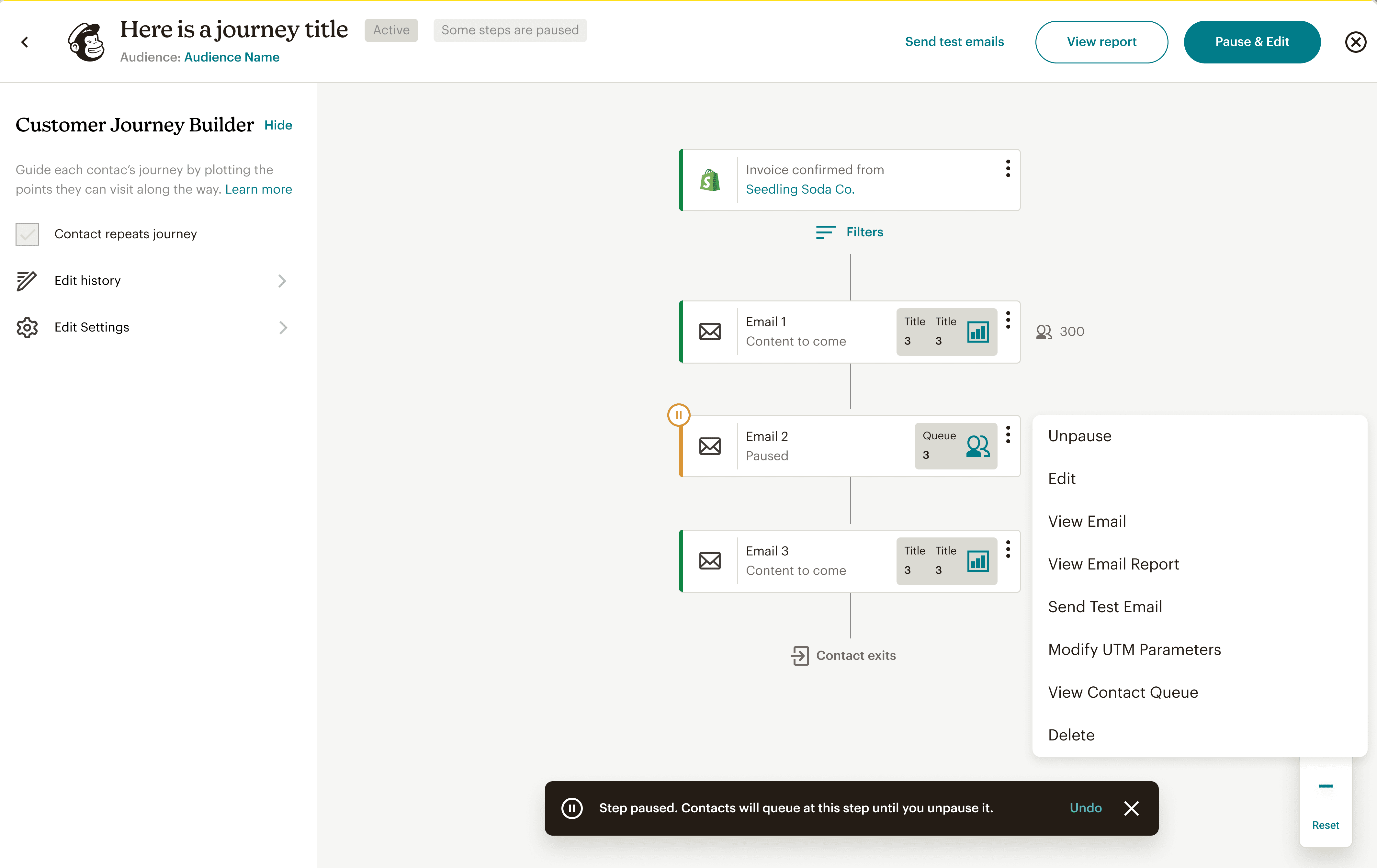
Pausing individual steps
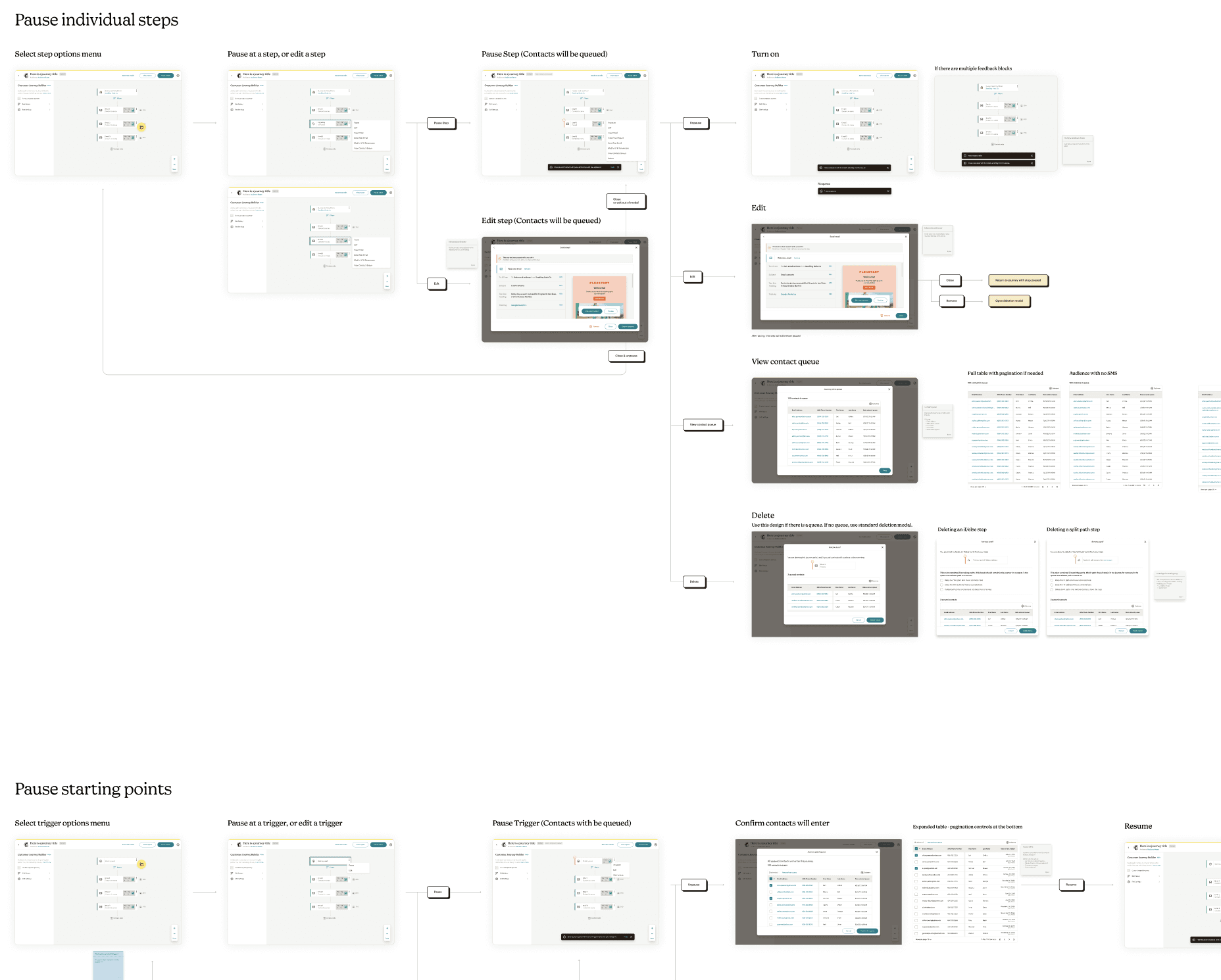
Experience walkthrough documentation

Flow documentation
View segment filters
Some features were quick improvements through monitoring user behavior in interviews, and through communication with engineering, able to be designed and delivered in a single sprint.
This feature was allowing users to quickly view filter criteria in context of the entire journey, without needing to manually open up a starting point edit modal.
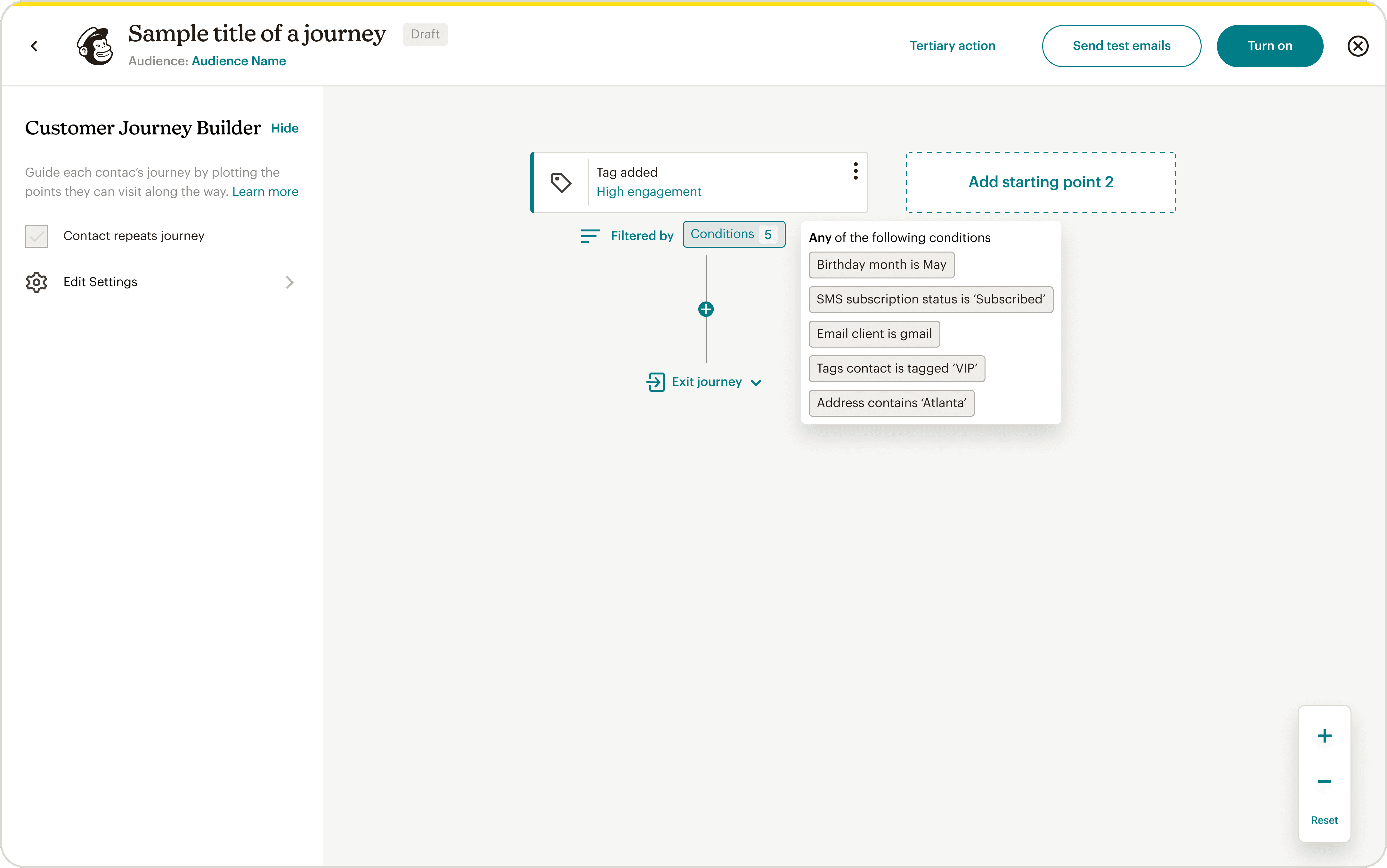
Utilizing simple to implement patterns for low effort, high impact features
Conversion from legacy tooling
Users had legacy journeys, and in order to offer them an improved experience and also consolidate technical support, we had to convert these into the current journey ecosystem.
From a user perspective, I led interviews to understand concerns & motivations that kept a user from converting. From this, designs were created to meet these.
From a technical perspective, I worked with the team to understand the capabilities & limitations in the conversion process, and design the needed experience for users to set user expectations, while advocating for engineering spikes for features that were essential for users, such as historical data transfer.
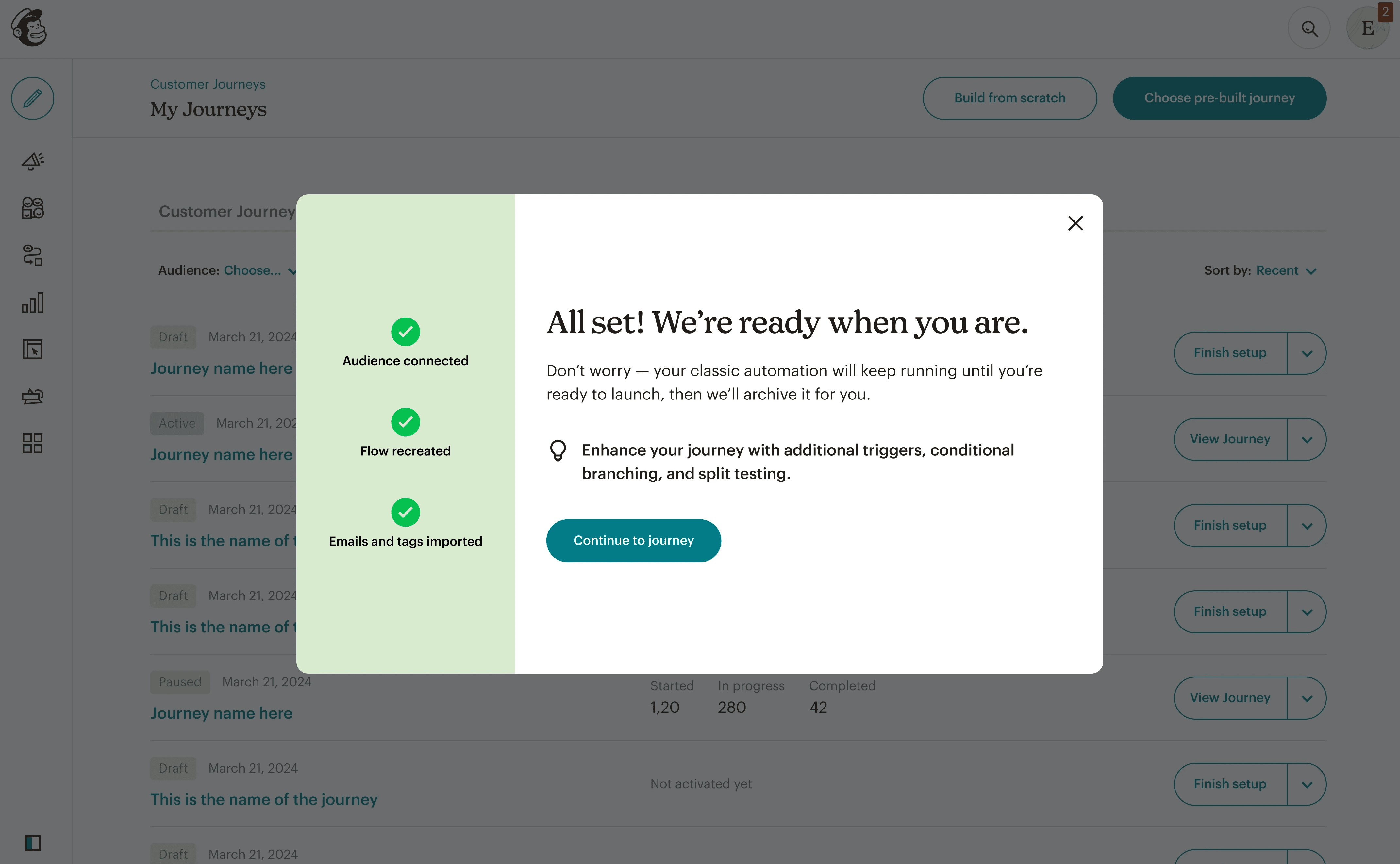
Addressing customer concerns about conversion
Improved, uniform design system
Upon joining the team, I recognized the importance of having a design system to ensure consistency and reduce decisions making from an experience and technical perspective.
I took initial lead in creating an improved design system for this part of the product to bring structure and guidance to patterns as well as update the UI to align to Mailchimp's most recent design language.

Creating guidance and uniformity
Reflections
What I learned
The appropriate amount of research
When working in a fast paced team, determining the right balance of research was key. Sometimes, design intuition and reference past research or usage data is enough. Other times, dedicating a sprint to in depth research is needed to gain confidence and reduce risk.
Instilling empathy within the team
Understanding what resonates with the team to gain empathy for the user helps motivation and ideation. Methods such as pulling user quotes, bringing up videos of users walking through the product, and also having the team walk through the product to perform specific tasks were critical in gaining buy in from the team for certain initiatives.